Databricks Bootcamp
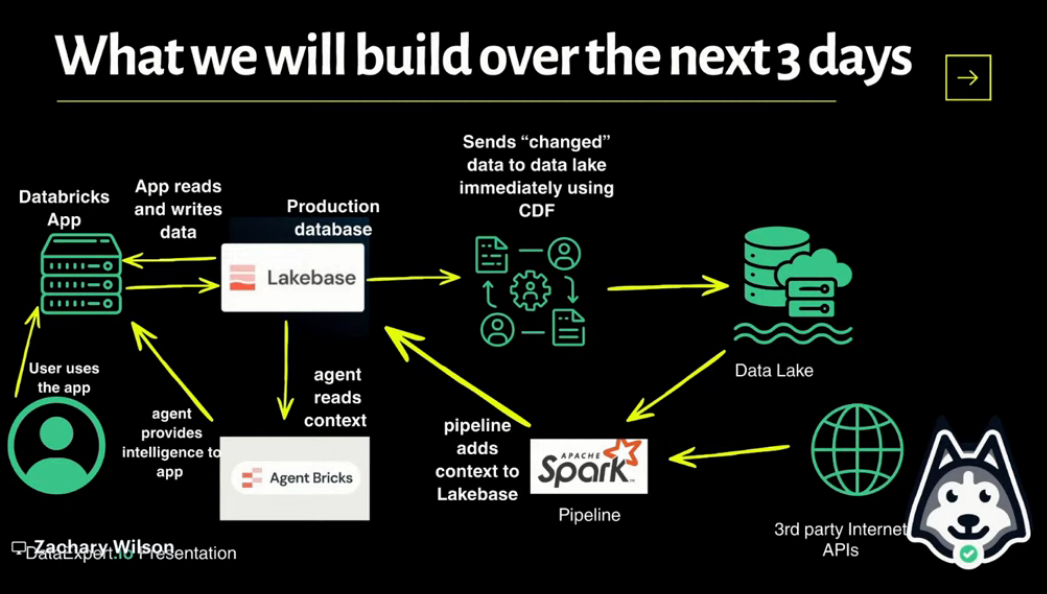
In August I joined a one-week Databricks bootcamp organized by DataExpert.io - called The Rise of the AI Data Engineer. The learning process started with Databricks basics, building data pipelines, context engineering and vector databases and at the end we built an end-to-end AI Agent with Databricks.
Frankly, I was very impressed by what we could build using the free edition of Databricks - database, web UI, AI Agents, MCP, RAGs… I learned so much this week and got to know so many people (the Discord community is awesome!). Everyone was so helpful and supportive! Big thanks to Zach Wilson for organizing this and for his time, love his energy and teaching. It was an intense week but super worth it!
The bootcamp consisted of 3 homeworks and 1 capstone project. My capstone project was AI Assisted Job Hunter and I am so excited because it’s something I can actually imagine myself using. There were a lot of moments when things weren’t working (like running out of free daily limit right before the submission 😂 and “it worked yesterday” is the new “it worked on my computer”). But big THANKS, good job to everyone who also joined the bootcamp and congratulations to the winners, I feel so inspired by what people can create in less than one week! It was an extremely rewarding experience.
Homework 1 - Ticketing System
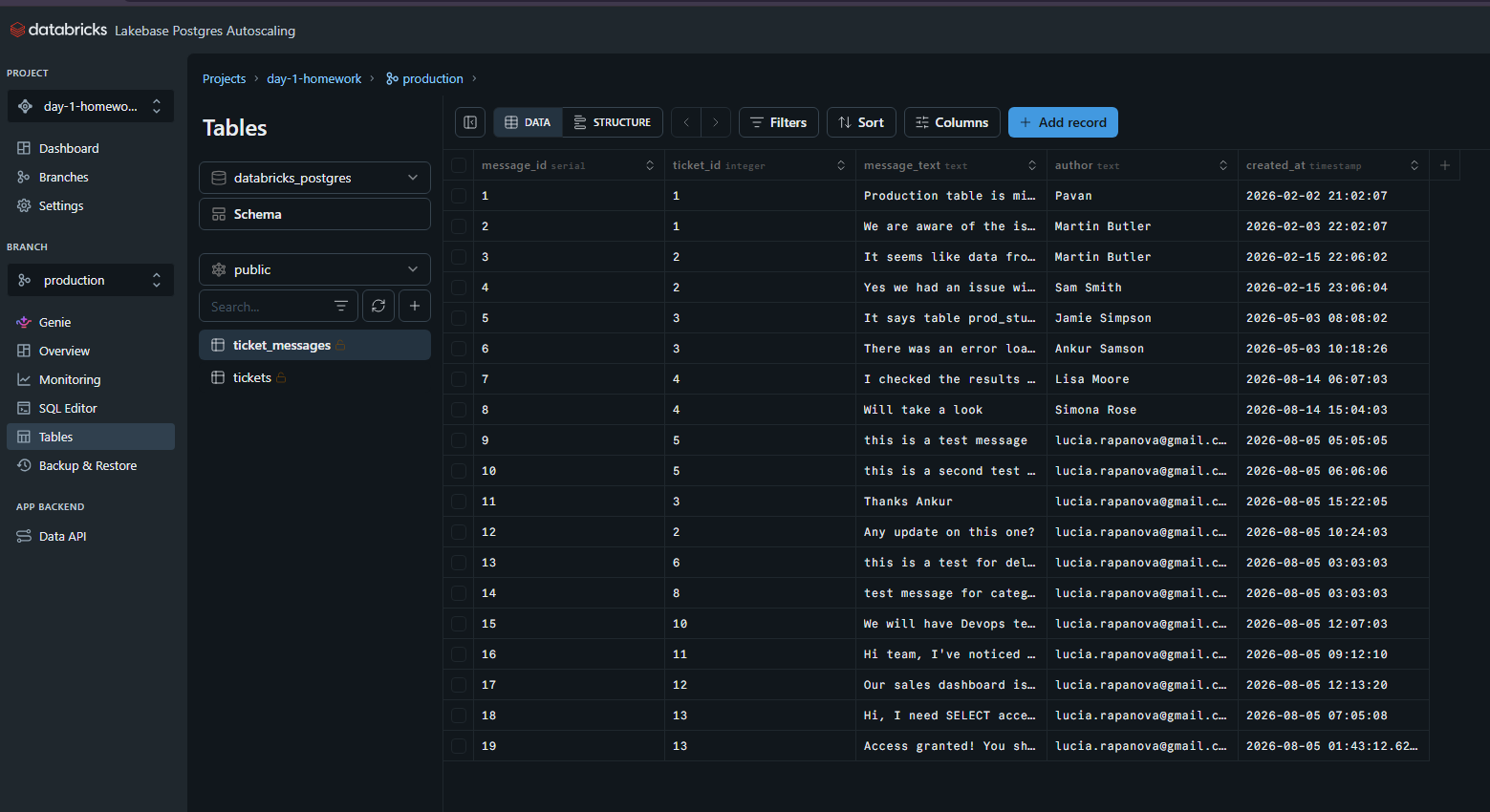
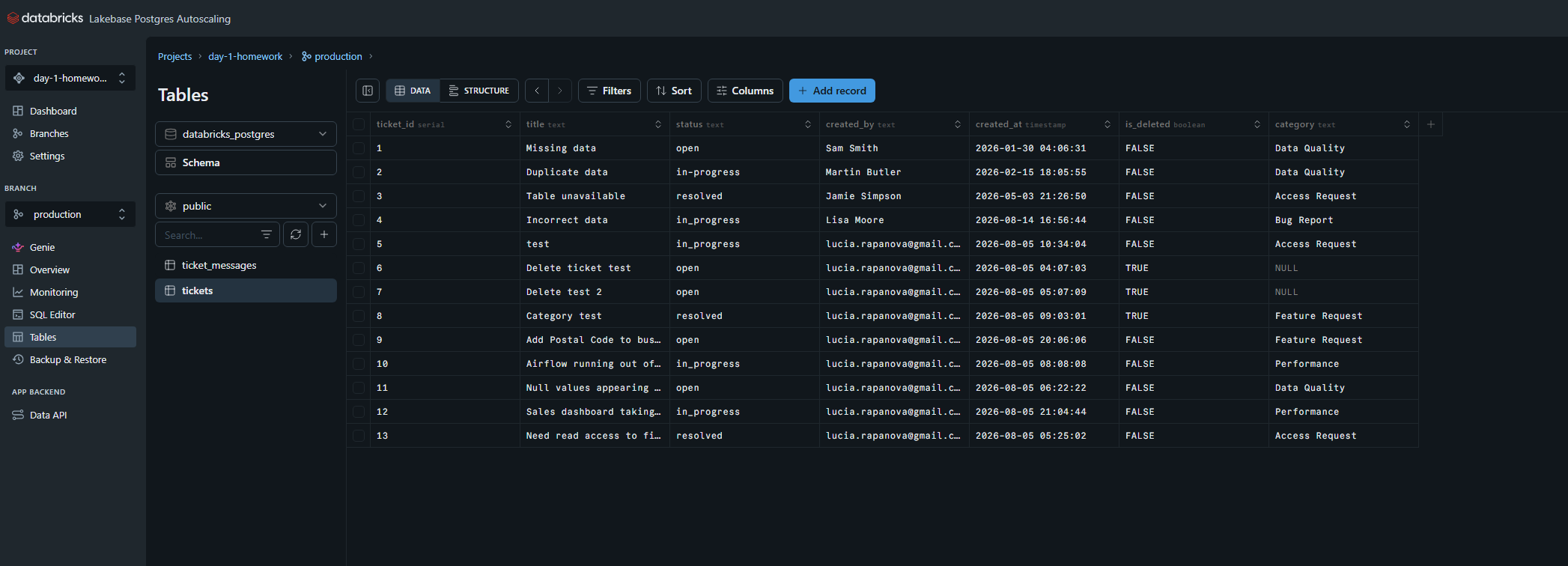
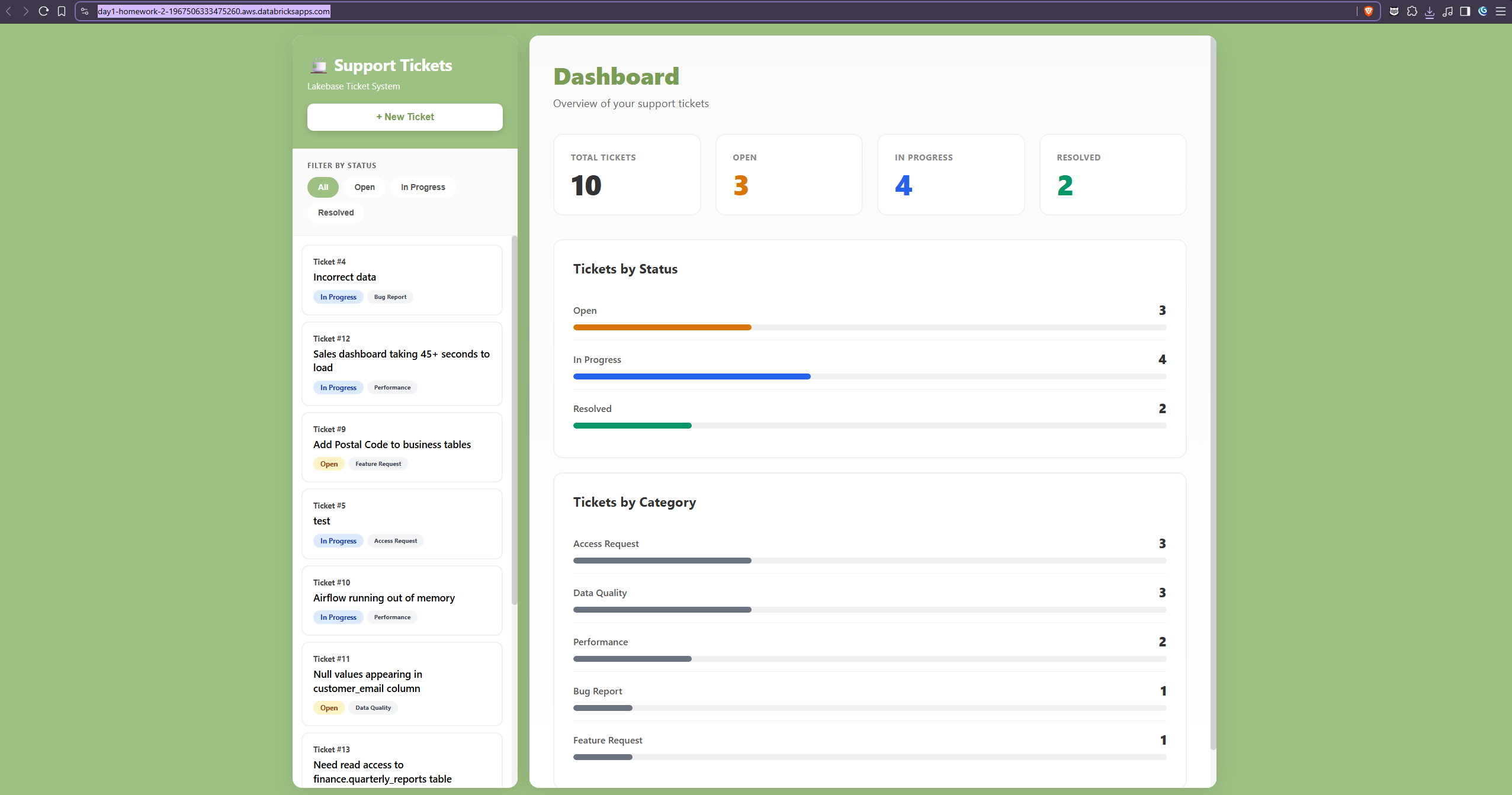
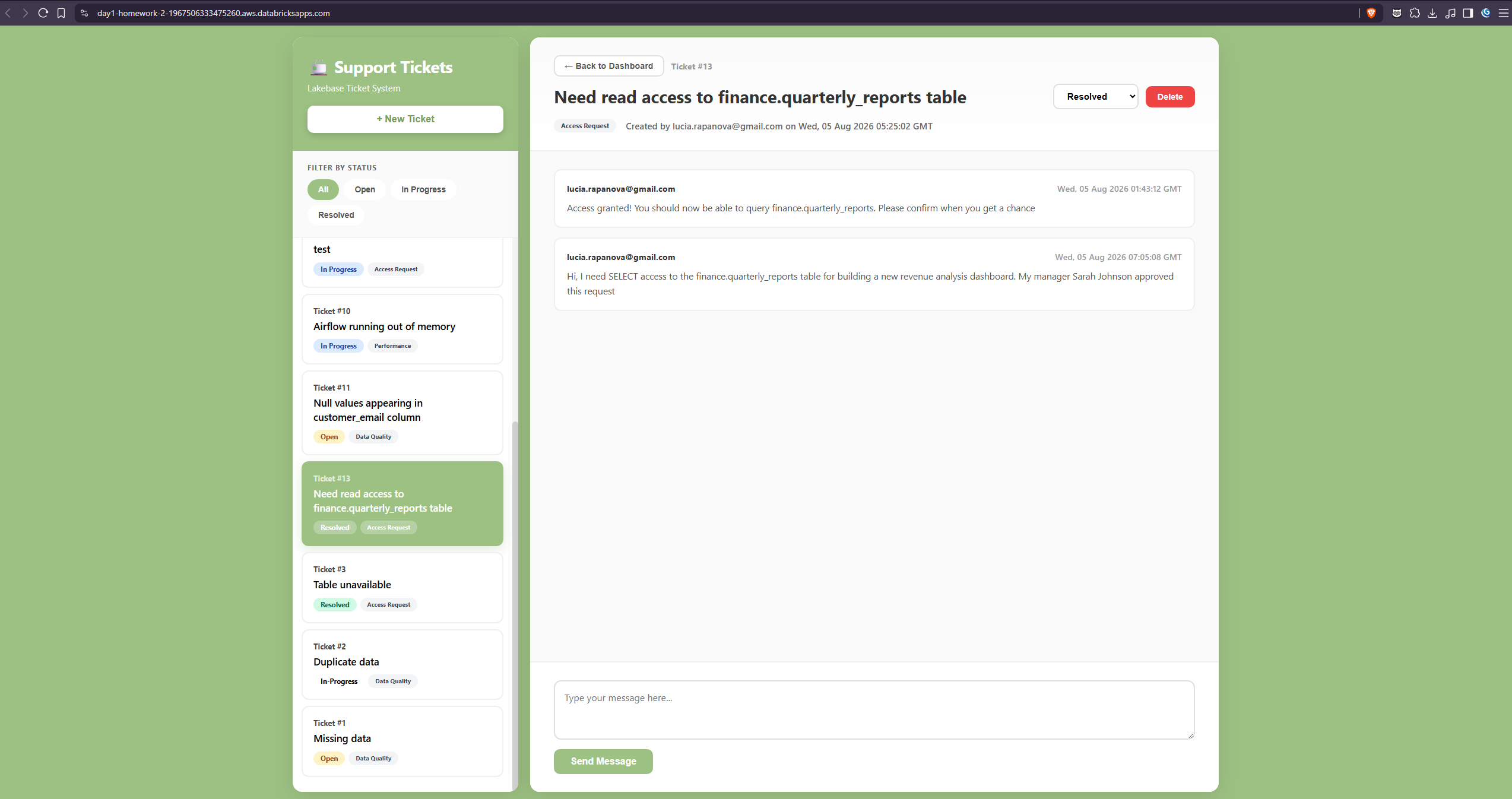
Our first homework was to build and deploy a small Databricks App backed by Lakebase. Scenario:
- You are building an internal support system where users can create support tickets and add messages to those tickets.
This was fairly straightforward and quite enjoyable. I liked working in Databricks and really appreciated having everything in one place.
Setting up the Lakebase/Postgres backend:
The final application UI:
Homework 2 - Weather Intelligence
During the Day 2 training, we synced structured records and news articles from the Massive API into Lakebase, chunked/embedded the news text with sentence-transformers, and stored the vectors in pgvector columns for retrieval-augmented generation.
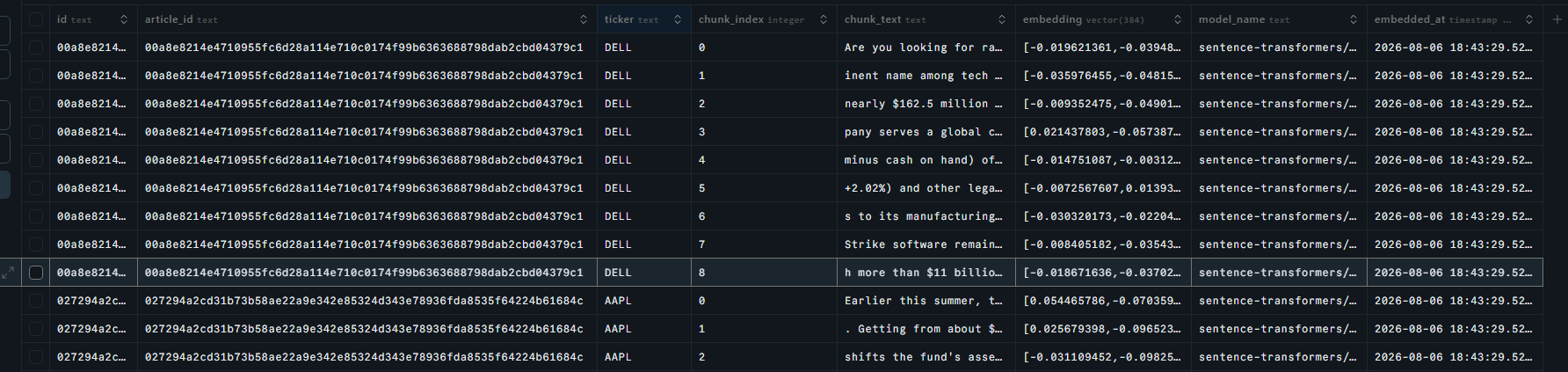
In this homework, we built a similar pipeline, but with a different data source - weather (I used National Weather Service API (api.weather.gov)).
- Harvest unstructured weather text from a public API.
- Vectorize that text and load it into Lakebase (Postgres + pgvector).
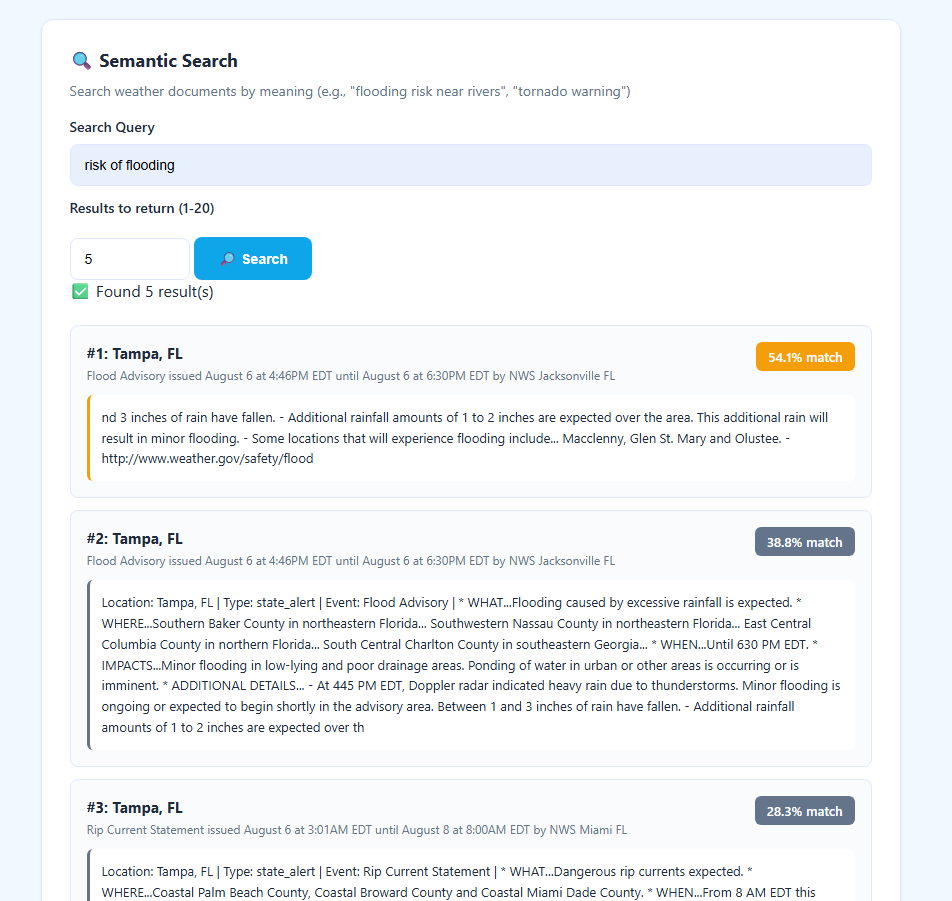
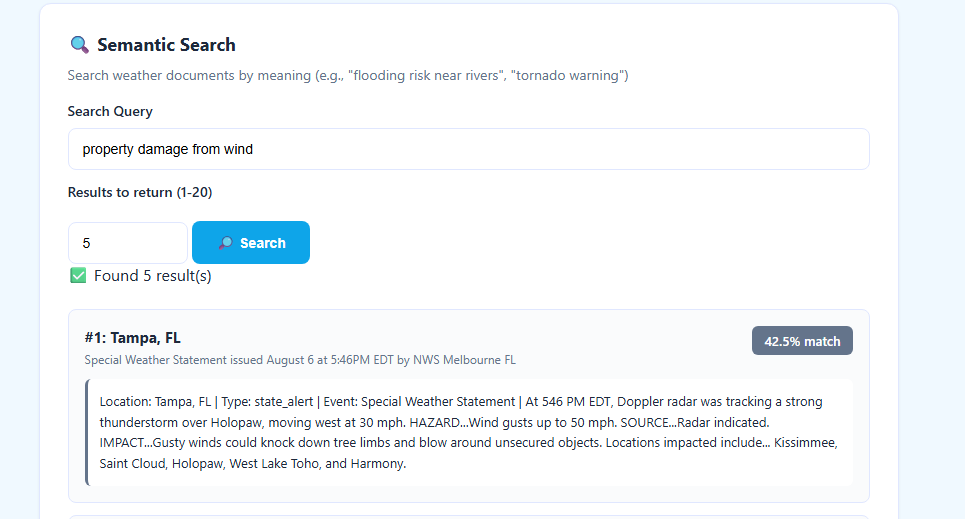
- Add a retrieval endpoint to the Flask REST API that performs semantic search over the ingested weather documents.
This was really fun, and it was cool seeing the final results, after building the whole pipeline from getting the data -> storing them -> chunking and generating embeddings -> performing semantic search
Homework 3 - Build Your Own Weather-Prediction MCP Server + Agent
Homework 3 combined homework 2 and added a layer of AI Agent which answers weather questions and makes simple predictions/recommendations.
What we built:
-
An MCP server exposing weather tools backed by a free weather API
-
A “broker/adapter” module that calls the weather API and returns clean dicts - keep your MCP tool functions thin, push the HTTP/parsing logic into this module.
-
A Databricks Agent that uses your MCP server as an external tool to answer natural-language weather questions (e.g. “Will it rain in Chicago tomorrow?”, “Should I bring a jacket to Austin this weekend?”).
The main structure: weather_adapter.py The adapter module that contains all HTTP calls to the National Weather Service API. This module:
- Makes all external API requests
- Handles data parsing and transformation
- Provides clean Python functions that the MCP server can call
- Uses the requests library with proper NWS API headers
Key Functions:
get_current_weather(location)- Returns current conditions (temp, humidity, wind, conditions)get_forecast(location, days)- Returns multi-day forecast (high/low temps, precipitation, conditions)predict_umbrella_needed(location, date)- Returns umbrella recommendation (> 40% precipitation = bring umbrella)get_travel_recommendation(location, date)- Returns travel score (0-100) and recommendation (good/fair/poor)
weather_mcp_server.py The FastMCP server that exposes the weather tools over MCP. This module:
- Uses FastMCP to create an MCP-compliant server
- Defines @mcp.tool decorated functions for each tool
- Captures end-user identity from Databricks App headers
- Handles errors gracefully and logs all requests
- NO raw requests calls - all HTTP calls are in weather_adapter.py
Exposed Tools:
get_current_weather(location)- Current weather conditionsget_forecast(location, days=7)- Multi-day forecastpredict_umbrella_needed(location, date)- Umbrella recommendationget_travel_recommendation(location, date)- Travel recommendation
Sources for HW2 and HW3: https://github.com/luc-rap/hw-3-weather-prediction
The final deliverable was a Databricks-hosted AI agent connected to the weather MCP server and backed by the tools described above.
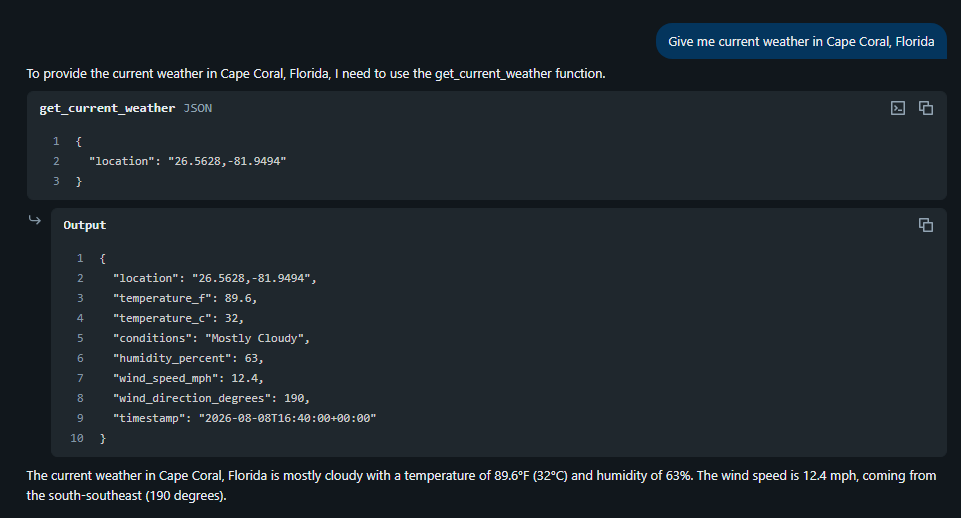
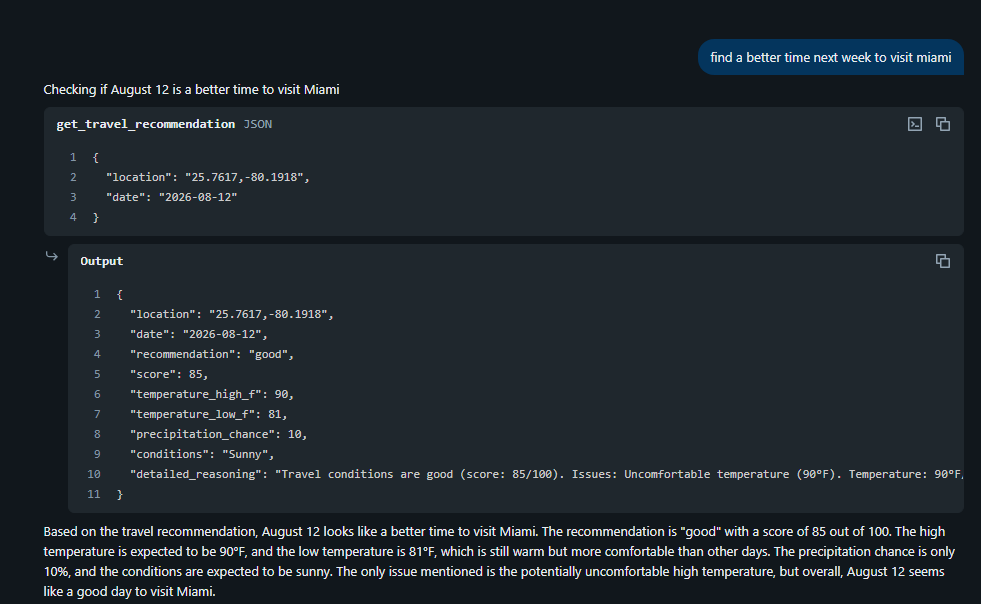
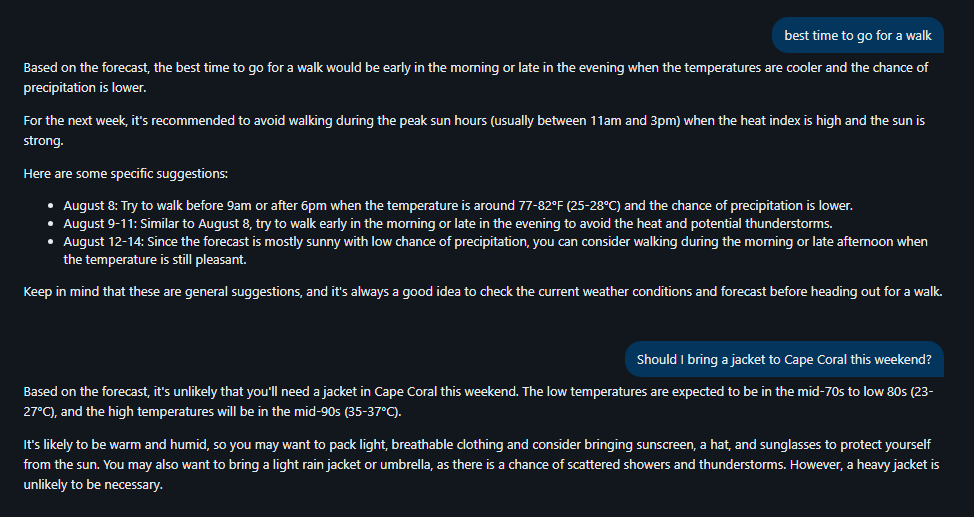 Because travelling during summer in Florida is an extreme sport
Capstone Project
For my Capstone Project, I chose AI Assisted Job Hunter. It was a combination of everything we had learned during that week, and it was quite exciting, but I have to admit there were a couple of painful moments (like when my Databricks decided to tell me I exhausted the daily limit at 9am). But I mean, that’s just the reality of development, things don’t go smoothly! I do really appreciate the Discord community, because everyone was very helpful and supportive. Especially a few hours before the deadline 😂
The project includes:
- Lakebase (Postgres) for structured data storage (see /sql for table definitions)
- MCP Server for AI agent tool integration (see /mcp_server)
- Flask for user interaction
- Adzuna API for job search data (https://developer.adzuna.com/)
- App.py is located in /dashboard, app.yaml set up to deploy it from there
Originally, part of the plan was to use CDF and Delta via Spark, but as we discovered later, this was not supported in free edition (during that time) and this requirement was later dropped.
High level architecture:
                         ┌──────────────┐
                         │  Adzuna API  │
                         └──────┬───────┘
                                │
                                ▼
                     ┌───────────────────┐
                     │ Flask Application │
                     └────────┬──────────┘
                              │
             ┌────────────────┼────────────────┐
             ▼                ▼                ▼
      ┌─────────────┐  ┌─────────────┐  ┌──────────────┐
      │   Lakebase  │  │  Embeddings │  │ MCP Server   │
      │ PostgreSQL  │  │ / Retrieval │  │              │
      └──────┬──────┘  └──────┬──────┘  └──────┬───────┘
             │                │                │
             ▼                ▼                ▼
      Jobs / Users /     Semantic Search    AI Agent
          CVs                                / Tools
Features:
- Search jobs via Adzuna API with natural language
- Semantic search using embeddings (job descriptions + user profile)
- AI-powered job ranking and match scoring
- Job tracking
- AI Assistant: prepare for interviews, ask questions about jobs, draft cover letters, get job recommendations
- User can upload CV and store skills
- Can set target location, preferences, desired salary
- See overall job market stats
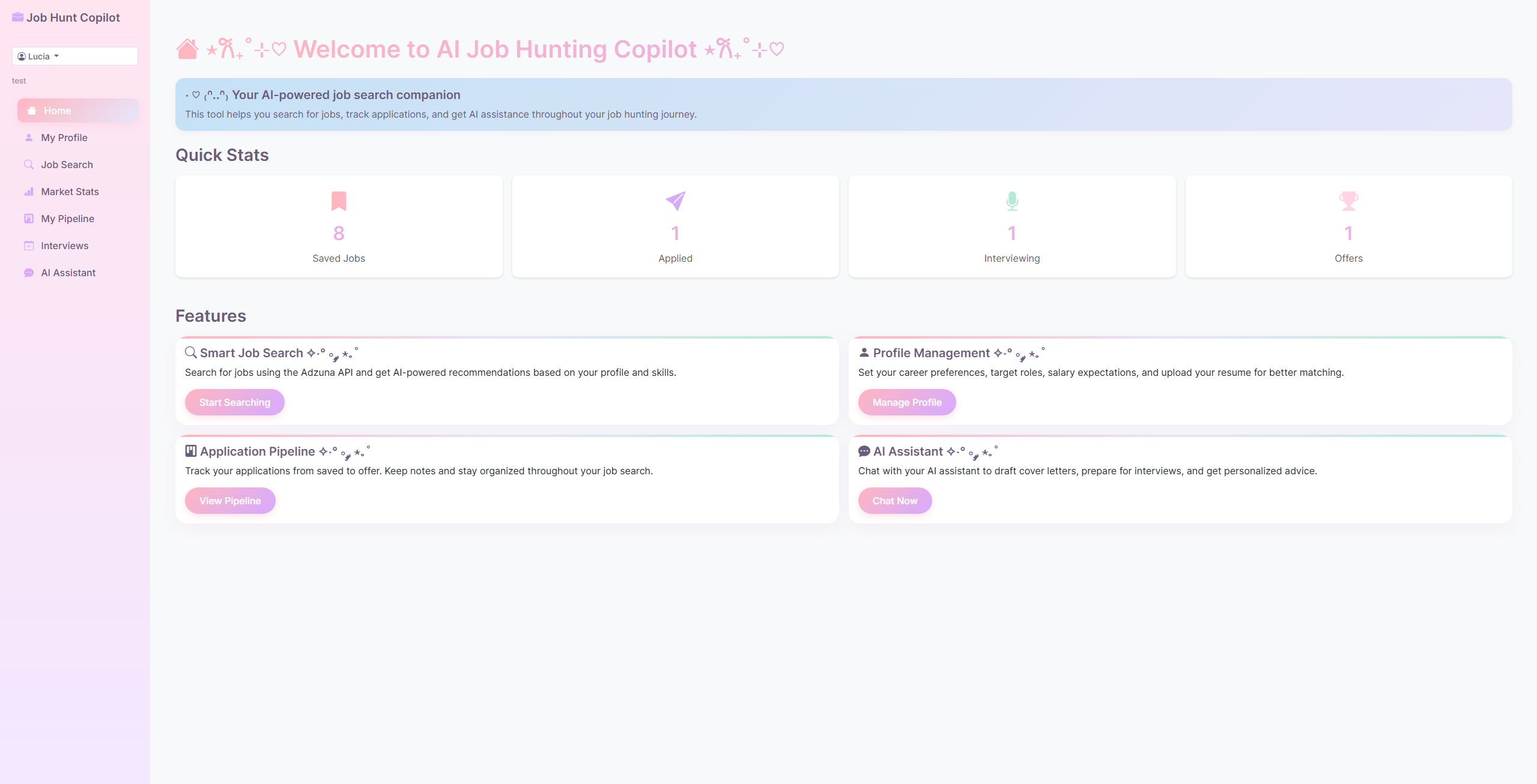
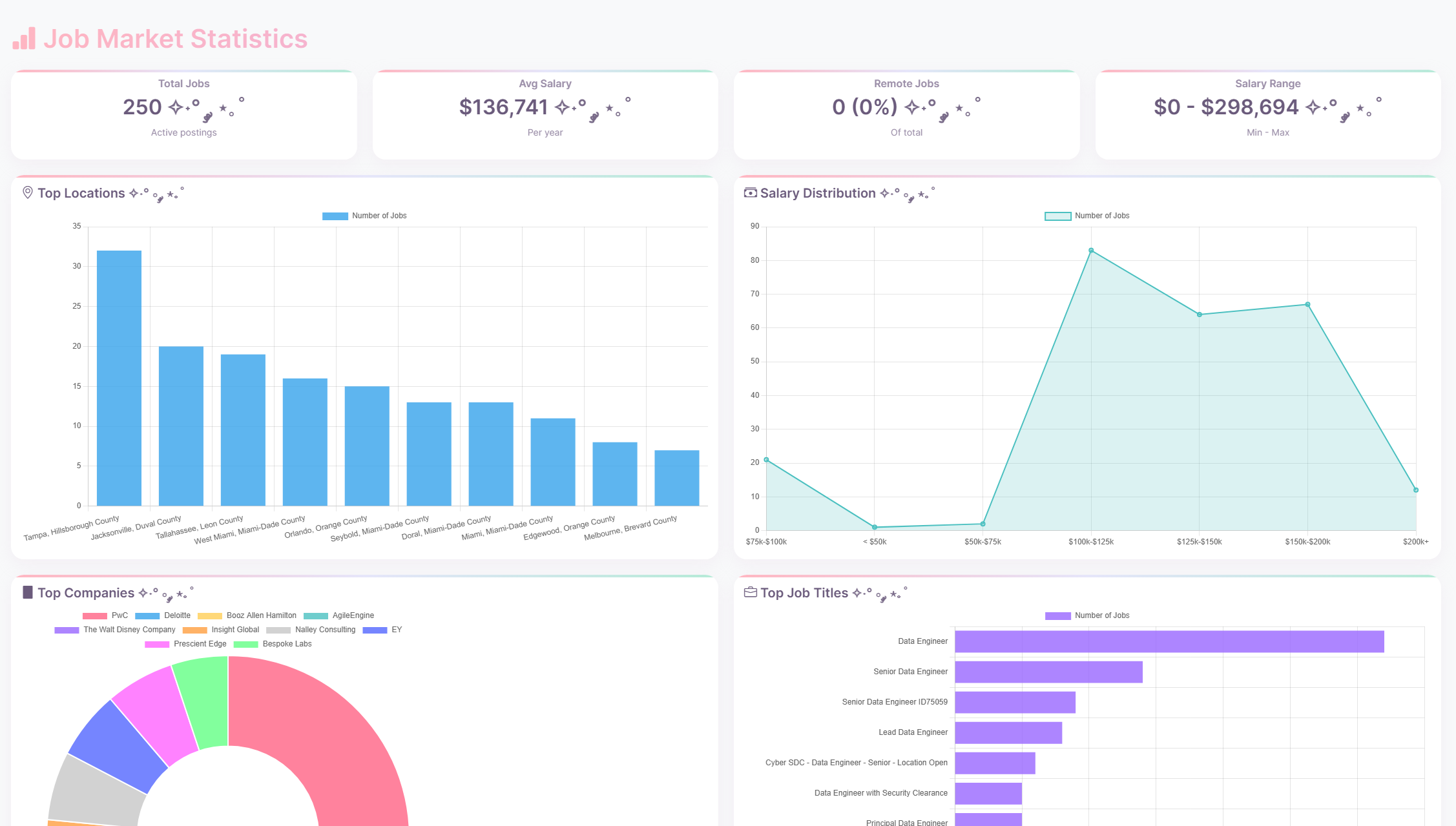
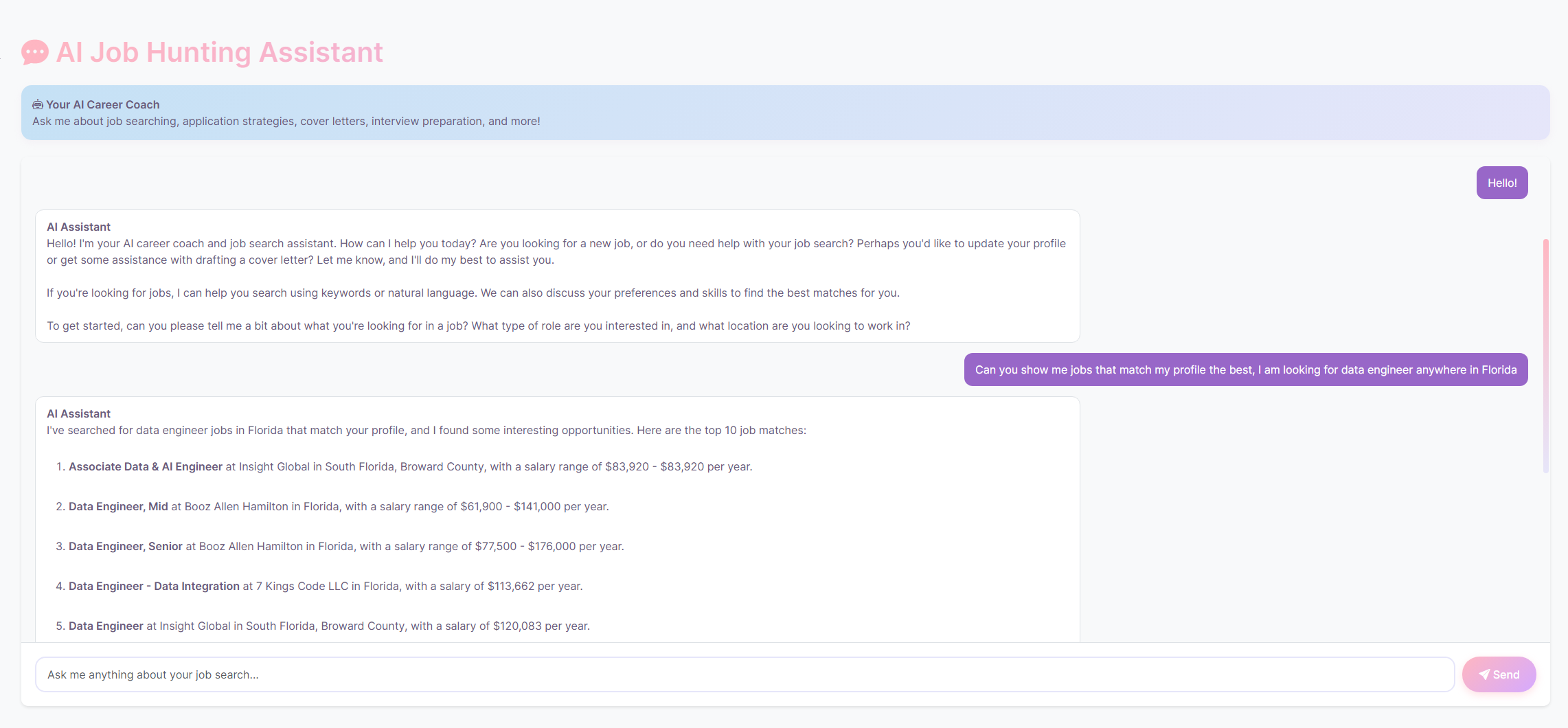
Source for the Capstone Project: https://github.com/luc-rap/databricks-capstone-project
Overall, I was pretty impressed with what we can do on a single platform, but at the end, I was getting stressed out by the limitations of the free version. I wanted to work more on the UI but I was worried I will run out of compute at any point. And I didn’t want to migrate AGAIN 🥲 I felt like I was back at college for one week, being pressed with deadlines :D I spent a lot of time trying to export the agent from Playground to the frontend, error after error. Also my API stopped working and I had to fetch locally, save it to csv and then upload the data to Databricks.
But, I managed to successfully complete it, pass the requirements, got a fancy png (ceritifcate) and a great feeling that I was able to push myself and learn something new 😊
What I took away The bootcamp was especially useful because it connected several technologies I had previously encountered separately. At Dell, I worked on an LLM-based entity-resolution pipeline; during this bootcamp, I got hands-on experience with the infrastructure surrounding modern AI applications: structured storage, data ingestion, embeddings, vector search, APIs, MCP, and agent tooling.
I’m particularly interested in the intersection of data engineering and AI engineering, where reliable data pipelines provide the foundation for useful AI applications.